
Designing the Ultimate Work-from-Home Space
- First Class Nation Contracting
- Aug 4, 2025
- 4 min read

Creating a productive and comfortable work-from-home space is essential in today’s remote work culture. Whether you have a dedicated room or a small corner, designing an office that boosts focus and creativity can transform your daily routine. This guide offers practical tips and inspiring home office ideas to help you build the ultimate workspace tailored to your needs.
Choosing the Right Location for Your Home Office Ideas
Selecting the perfect spot for your home office is the first step. Ideally, choose a quiet area with minimal distractions. Natural light is a huge plus, as it improves mood and reduces eye strain. If you have a spare room, convert it into your office. Otherwise, consider less conventional spaces like a basement or attic.
For those thinking about basement options, exploring home office basement ideas can be a game-changer. Basements often provide ample space and privacy, making them ideal for focused work. With proper lighting and ventilation, a basement office can be both cozy and efficient.
Tips for location selection:
Avoid high-traffic areas to minimize noise.
Position your desk near a window for natural light.
Ensure easy access to power outlets and internet connections.
Consider the room’s temperature and ventilation.

Essential Elements to Include in Your Home Office Ideas
Once you have your location, focus on the key elements that make a workspace functional and inviting. Comfort and organization are crucial to maintaining productivity.
Ergonomic Furniture
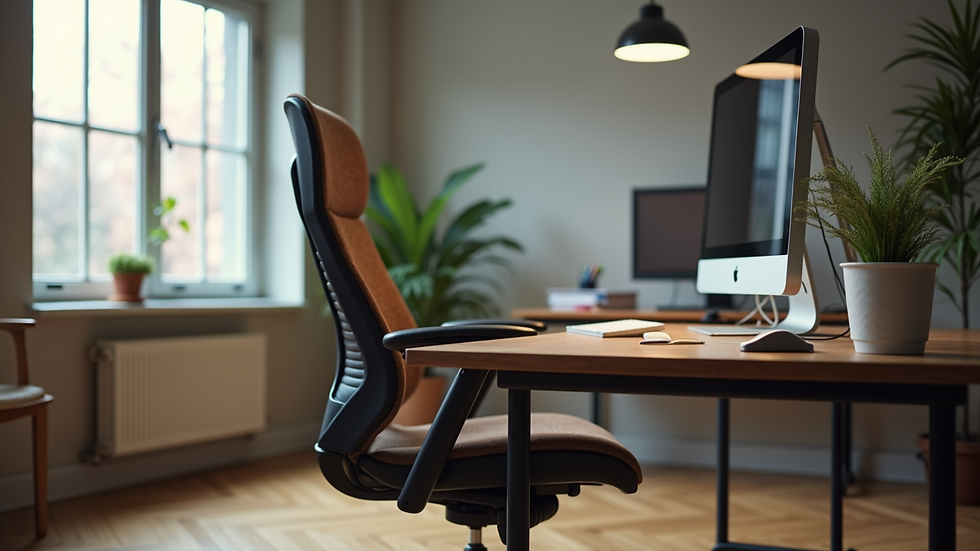
Invest in a good-quality ergonomic chair and desk. Your chair should support your lower back and allow your feet to rest flat on the floor. Adjustable desks that let you alternate between sitting and standing are excellent for health and focus.
Storage Solutions
Clutter can kill productivity. Use shelves, filing cabinets, or wall-mounted organizers to keep your workspace tidy. Label storage bins and drawers for easy access to supplies.
Technology Setup
Ensure your workspace has reliable internet, a quality monitor, keyboard, and mouse. Noise-cancelling headphones can help block distractions during calls or deep work sessions.
Personal Touches
Add plants, artwork, or motivational quotes to make the space feel welcoming. These small touches can boost your mood and creativity.
Checklist for your home office essentials:
Ergonomic chair and adjustable desk
Adequate lighting (task and ambient)
Organized storage units
High-speed internet and tech accessories
Personal decor for inspiration
Maximizing Small Spaces with Smart Design
Not everyone has a large room to dedicate to their office. Small spaces can be transformed into efficient work areas with smart design choices.
Use Vertical Space
Install shelves or pegboards on walls to store supplies and keep your desk clear. Vertical storage maximizes space without crowding your work surface.
Multi-Functional Furniture
Choose furniture that serves multiple purposes, such as a desk with built-in drawers or a foldable table that can be tucked away when not in use.
Light Colors and Mirrors
Light paint colors and strategically placed mirrors can make a small room feel larger and more open.
Declutter Regularly
Keep only essential items on your desk. Regularly declutter to maintain a clean and inviting workspace.
Portable Workstations
If space is extremely limited, consider a rolling cart or lap desk that allows you to work from different spots in your home.

Creating a Productive Atmosphere with Lighting and Sound
Lighting and sound play a significant role in your ability to focus and stay energized throughout the day.
Lighting Tips
Use a combination of natural light, overhead lighting, and task lamps.
Position your desk to avoid glare on your computer screen.
Choose bulbs with a color temperature of 4000K to 5000K for a bright, daylight effect.
Sound Management
Use rugs, curtains, and soft furnishings to absorb sound.
Consider white noise machines or apps to mask distracting noises.
Noise-cancelling headphones are invaluable for blocking out household sounds.
Air Quality and Temperature
Good ventilation and a comfortable temperature help maintain alertness. Use fans, air purifiers, or humidifiers as needed.
Personalizing Your Workspace for Motivation and Comfort
Your workspace should reflect your personality and inspire you to do your best work. Personalization can make your office feel like a place you want to spend time in.
Add Greenery
Plants improve air quality and add a calming touch. Choose low-maintenance plants like succulents or snake plants.
Inspirational Decor
Hang artwork, photos, or quotes that motivate you. Change these periodically to keep your space fresh.
Comfort Items
Include a cozy throw blanket, a cushion, or a small footrest to enhance comfort during long work sessions.
Break Area
If space allows, create a small area for breaks with a comfortable chair or meditation cushion. Taking regular breaks in a dedicated spot can improve productivity.
Designing the ultimate work-from-home space is about balancing functionality with comfort. By carefully selecting your location, investing in ergonomic furniture, maximizing your space, managing lighting and sound, and personalizing your environment, you can create a workspace that supports your best work every day. Whether you’re working in a spare room, a cozy corner, or exploring home office basement ideas, the right setup can make all the difference in your remote work experience.


Comments